

Xofu shows where your brand wins, loses, and why in AI answers
Project creation
Set the right project scope from the start.
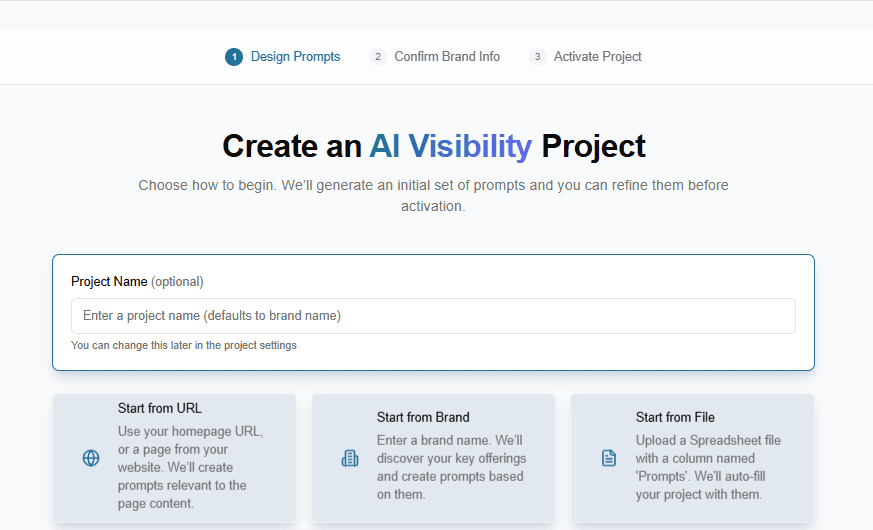
Create a project from a URL, a brand name, or a CSV prompt list. Xofu uses that input to generate or import the prompts you want to track.
- Use a URL when you want to track a specific feature, service, solution page, or use case.
- Use a brand name when you want broader brand-level tracking.
- Use a CSV when you have the prompts and want Xofu to run them as-is.
Prompt generation, editing, and tagging
Build a prompt set that matches how buyers evaluate options.
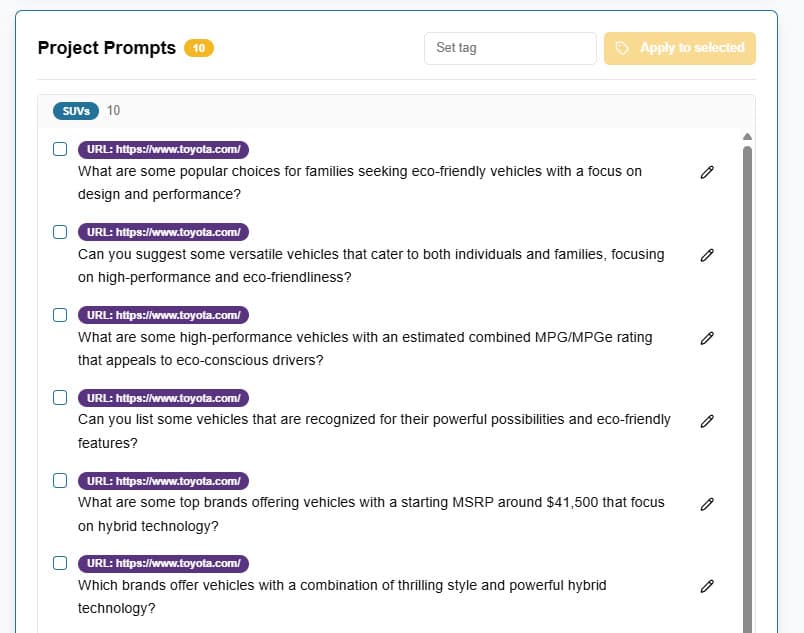
Xofu generates a starter set from your project input, then lets you edit, add, remove, and tag prompts so the project stays focused as scope changes.
- Edit prompts before launch and after the project goes live.
- Add prompts as the scope expands; delete prompts that don't fit.
- Tag prompts by feature, use case, service line, or topic.
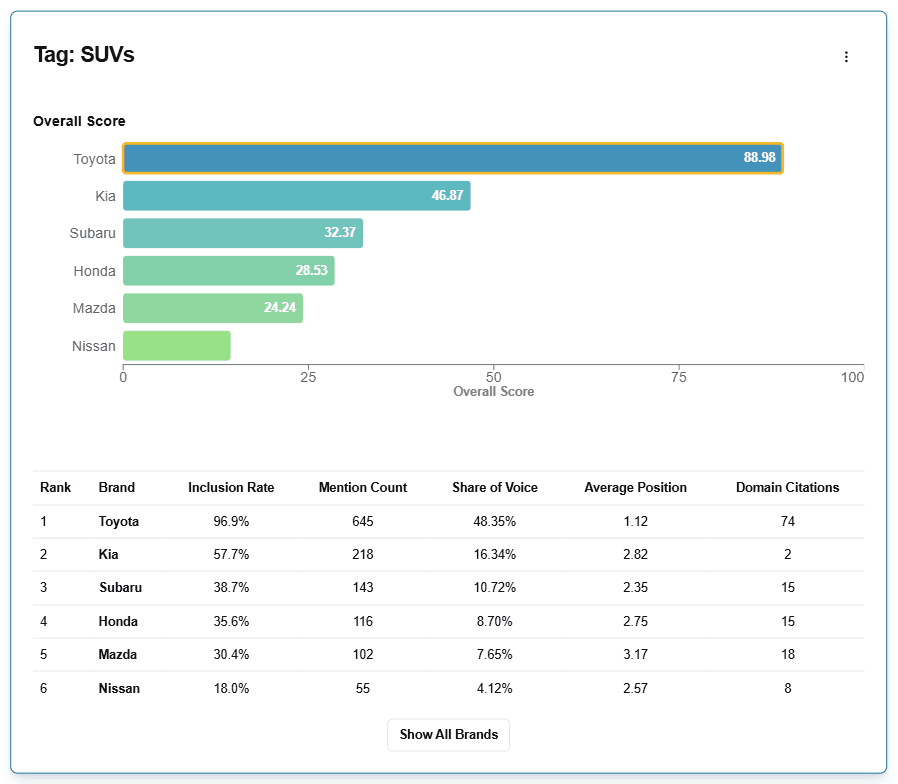
- Compare performance by tag to see where visibility and citation gaps sit.
Scheduled runs
Track change over time with recurring runs.
Xofu reruns the same prompt set on a recurring schedule, so you can measure visibility and citation performance over time instead of relying on a single check.
The first run starts when you activate the project. Xofu the project running automatically on its assigned schedule (weekly or daily).
Visibility dashboard
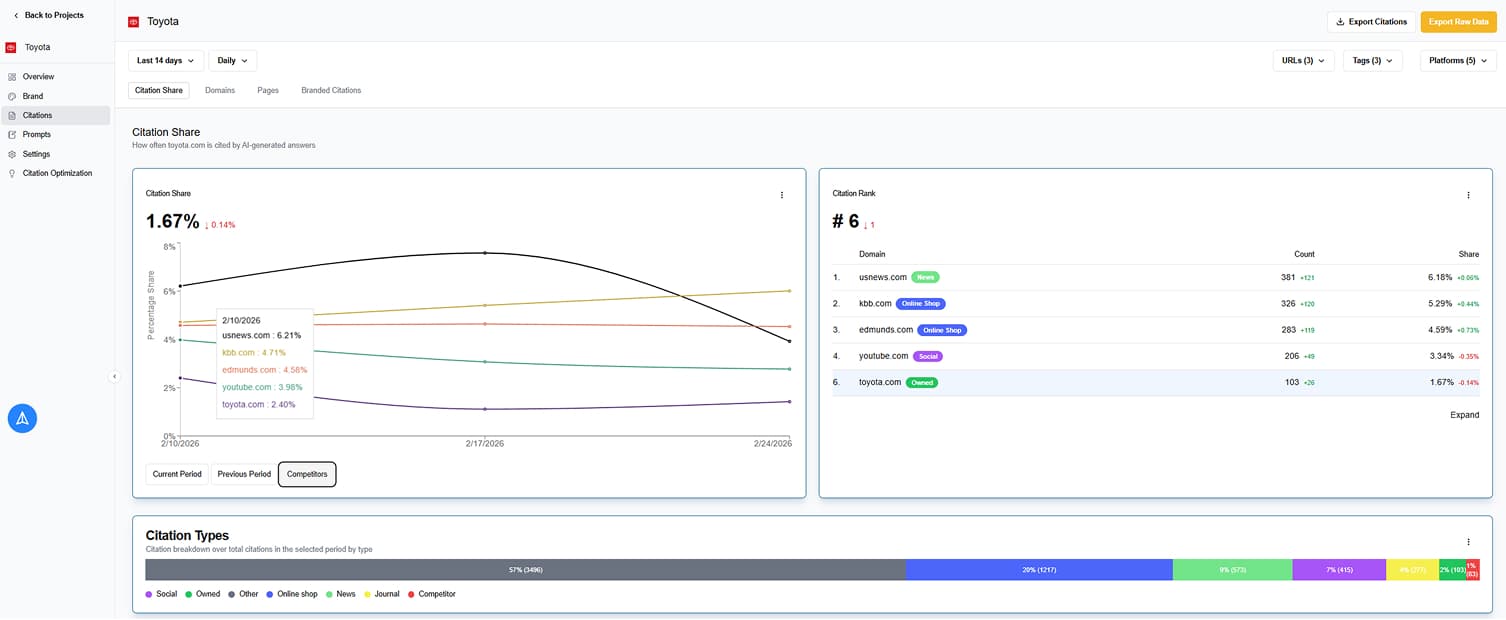
See how often your brand appears in AI answers and where competitors show up instead.
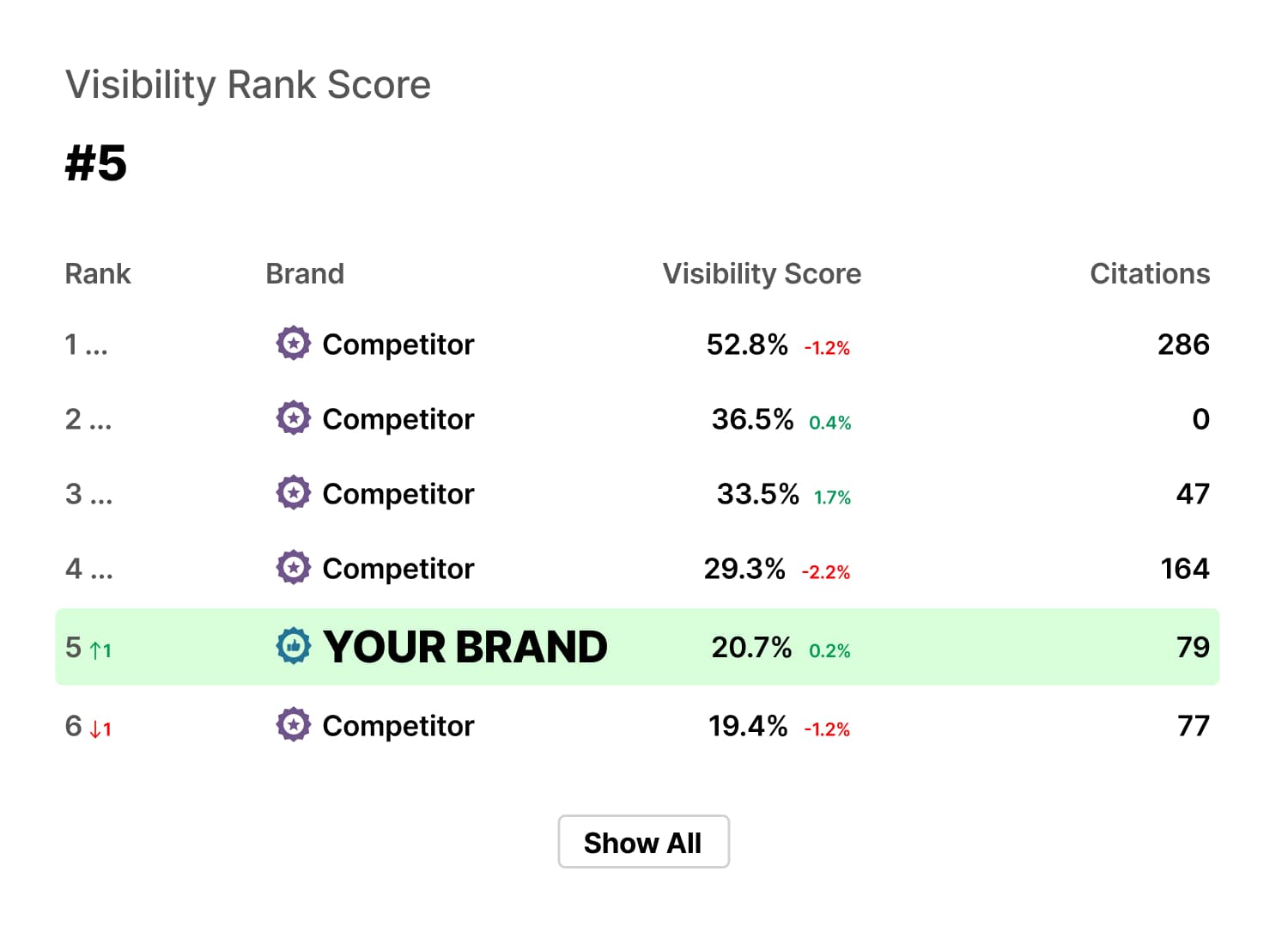
Xofu shows brand visibility across the prompts in your project, so you can compare performance and find gaps.
Track the core visibility metrics:
- Visibility score
- Inclusion rate
- Mention count
- Share of voice
- Average position
Start with a quick project snapshot, then drill into the areas where visibility is strong, weak, or uneven.
Citation dashboard
Discover which sources influence AI answers for your project.
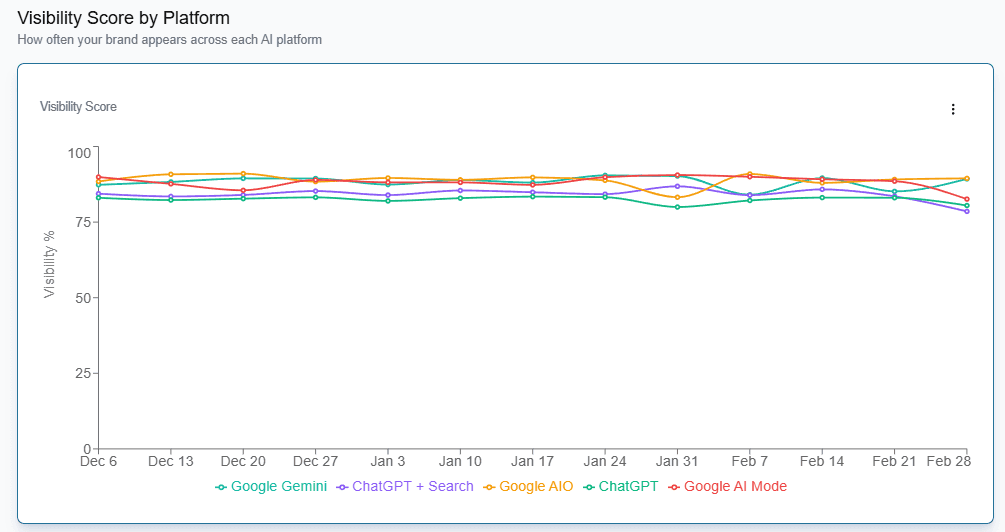
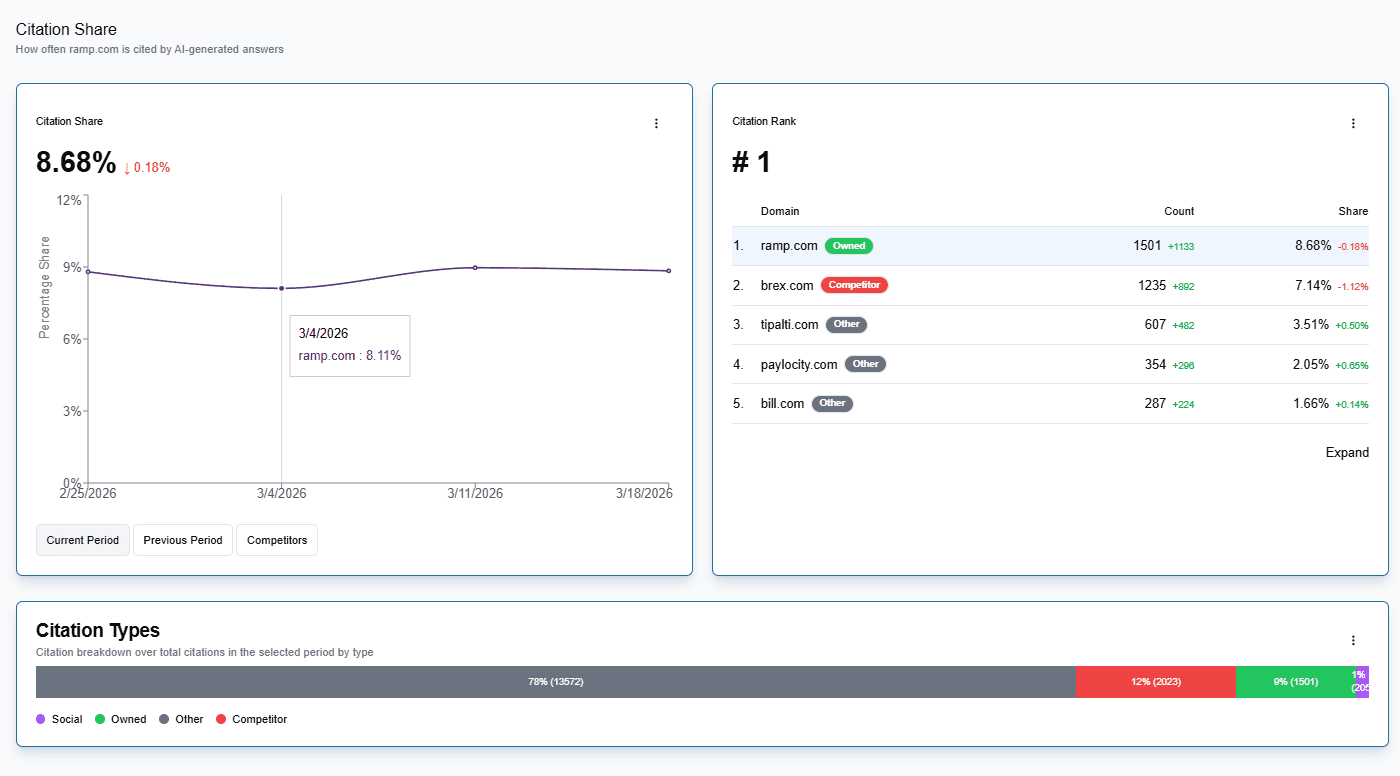
Xofu shows which domains and pages AI platforms cite across your prompt set, so you can spot source-level strength, citation gaps, and competitor influence.
The dashboard shows you:
- Top-cited domains
- Page-level citations
- Citation counts
- Citation share
- Unique citations
- Branded mentions
Start at the domain view, then drill into the specific pages shaping results.
Filters and drilldowns
Isolate the segment you want to analyze.
Xofu lets you move from summary reporting into more specific slices of prompt, platform, and citation data.
Ways to filter:
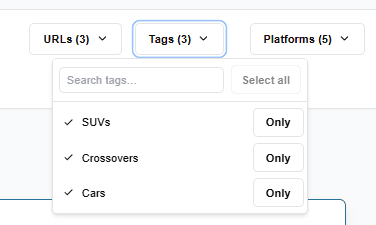
- Filter by tag to isolate a feature, use case, service line, or topic group.
- Filter by platform to compare the same set of prompts across supported AI systems.
- Filter citation data by label to isolate owned, affiliate, competitor, social, or custom source groups.
Domain and page analysis
See which sources and assets drive citation performance.
Xofu shows domain-level and page-level citation data, so you can see which sources appear and which pages drive that presence.
Review these asset types:
- Articles
- Product Pages
- Forum Threads
- Videos
Sharing and access
Guide teams with the same project data.
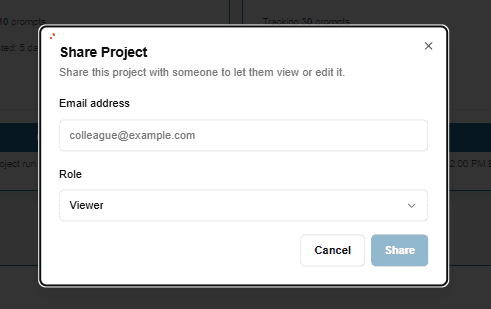
Xofu supports account-level and project-level access, so teams can review reporting or manage projects without duplicating setup
- Give view access to stakeholders who only need reporting.
- Give edit access to operators who manage projects and settings.
Keep marketing, sales, strategy, and leadership aligned in one workspace.
Citation audit
Turn citation data into a focused action plan.
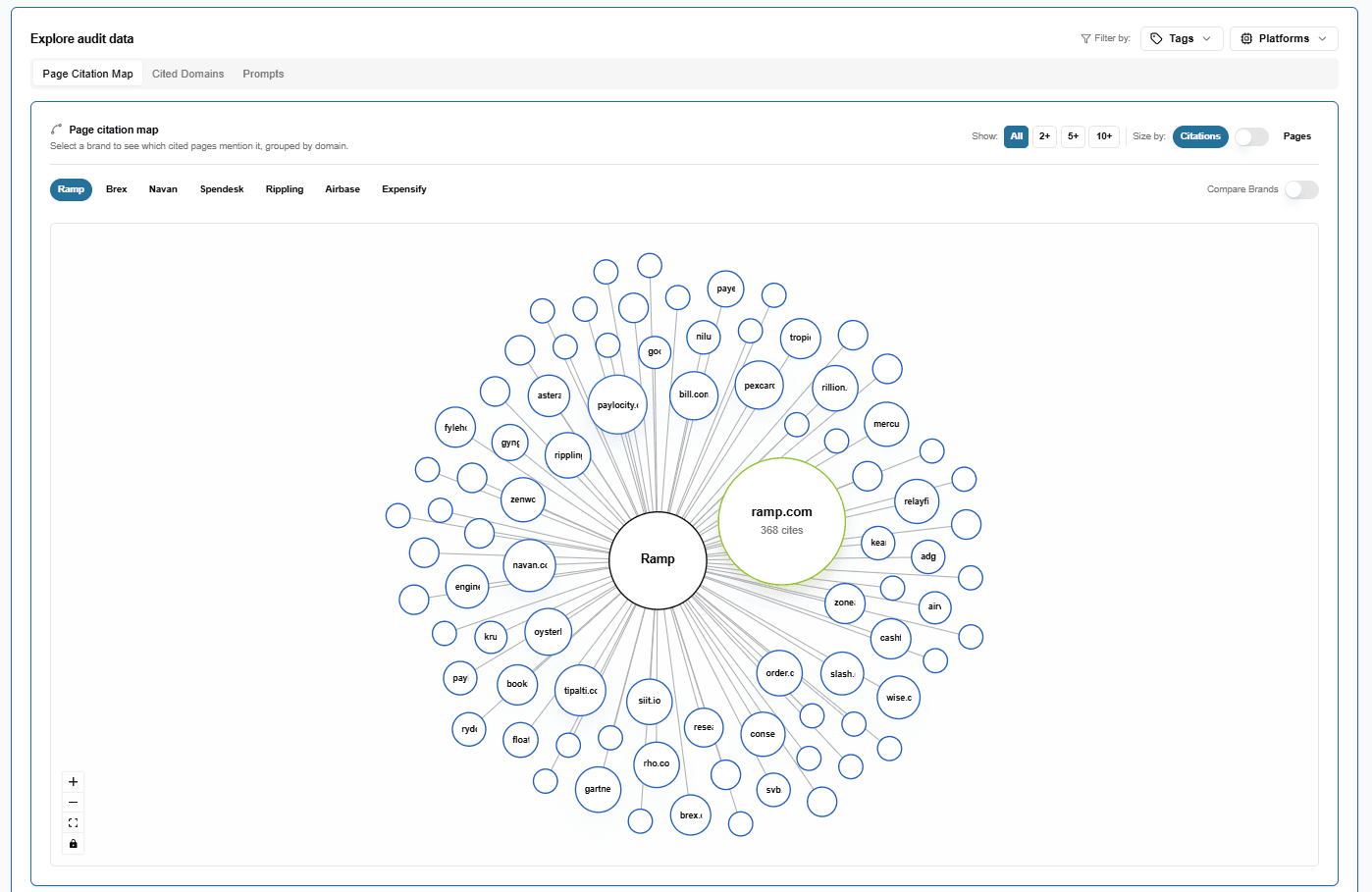
Citation audit shows which domains and pages shape AI answers, where your brand appears, and where citation gaps sit.
- See which domains drive citation presence
- Map citations to specific URLs
- Inspect prompt-level gaps
- Export worklists for follow-up
Xofu crawls cited pages, shows where the tracked brand appears on those pages, and lets teams filter the audit by tag and platform.
Sentiment tracking
See how AI platforms talk about your brand.
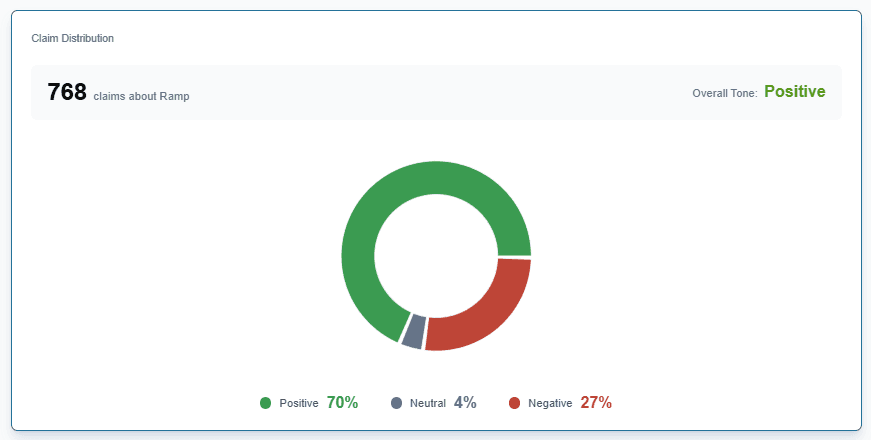
Sentiment tracking shows how AI answers describe your brand across the features that shape buying decisions, including pricing, reliability, and customer support.
- Rank brands by sentiment
- Compare competitors by feature
- Spot weak areas in your brand narrative
- Trace sentiment back to cited URLs and domains
Xofu suggests a starting feature set for each project, then lets your team edit it around the factors buyers use to compare brands.
Frequently asked questions
You can start a project from a URL, a brand name, or a CSV prompt list. Each setup path gives you a different way to define what Xofu should track.