

How Xofu surfaces gaps between your brand and competitors in AI answers
Add your site or brand and competitors
Start a project with a URL, brand name, or prompt file, then add the competitors you want to track. Topics can help organize prompts, but they’re optional.
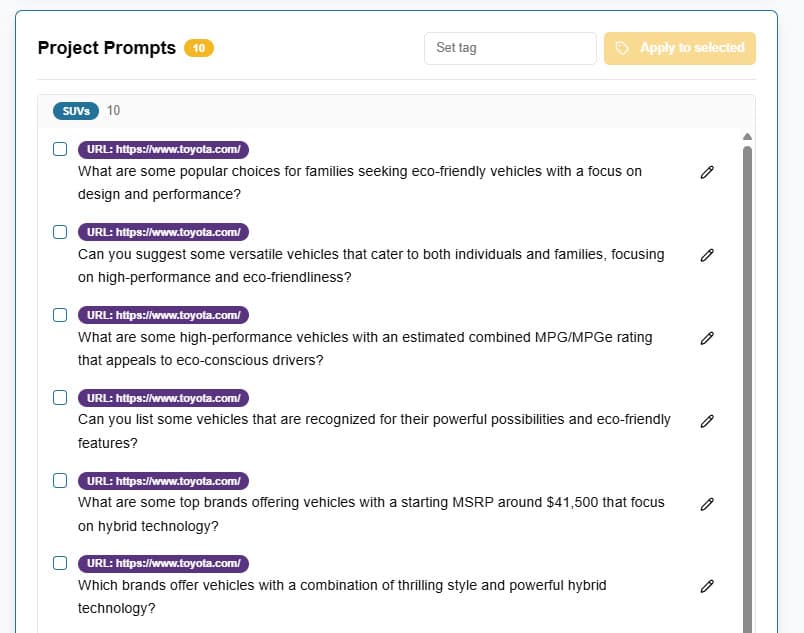
Run the prompt set across AI platforms
Xofu uses that setup to run the prompts buyers ask when they compare options across supported AI platforms.
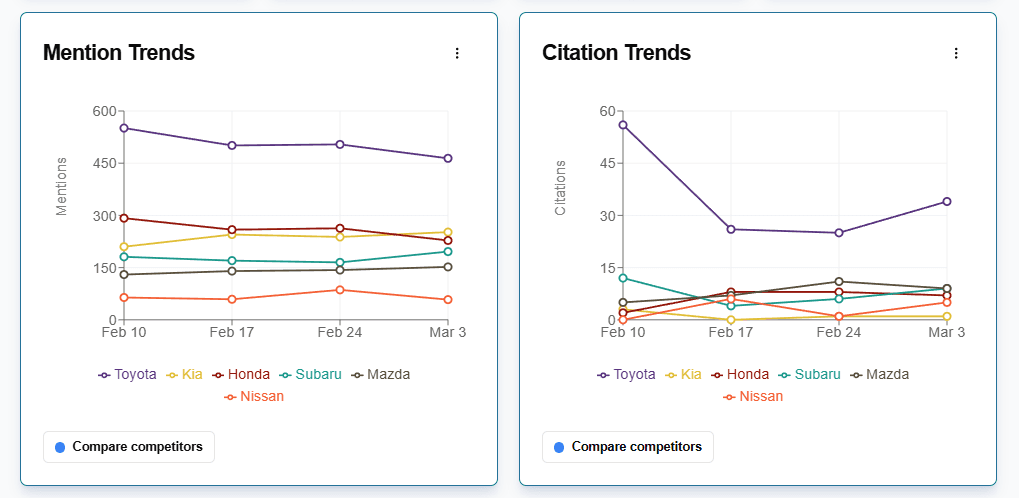
Review where your brand appears and where competitors win
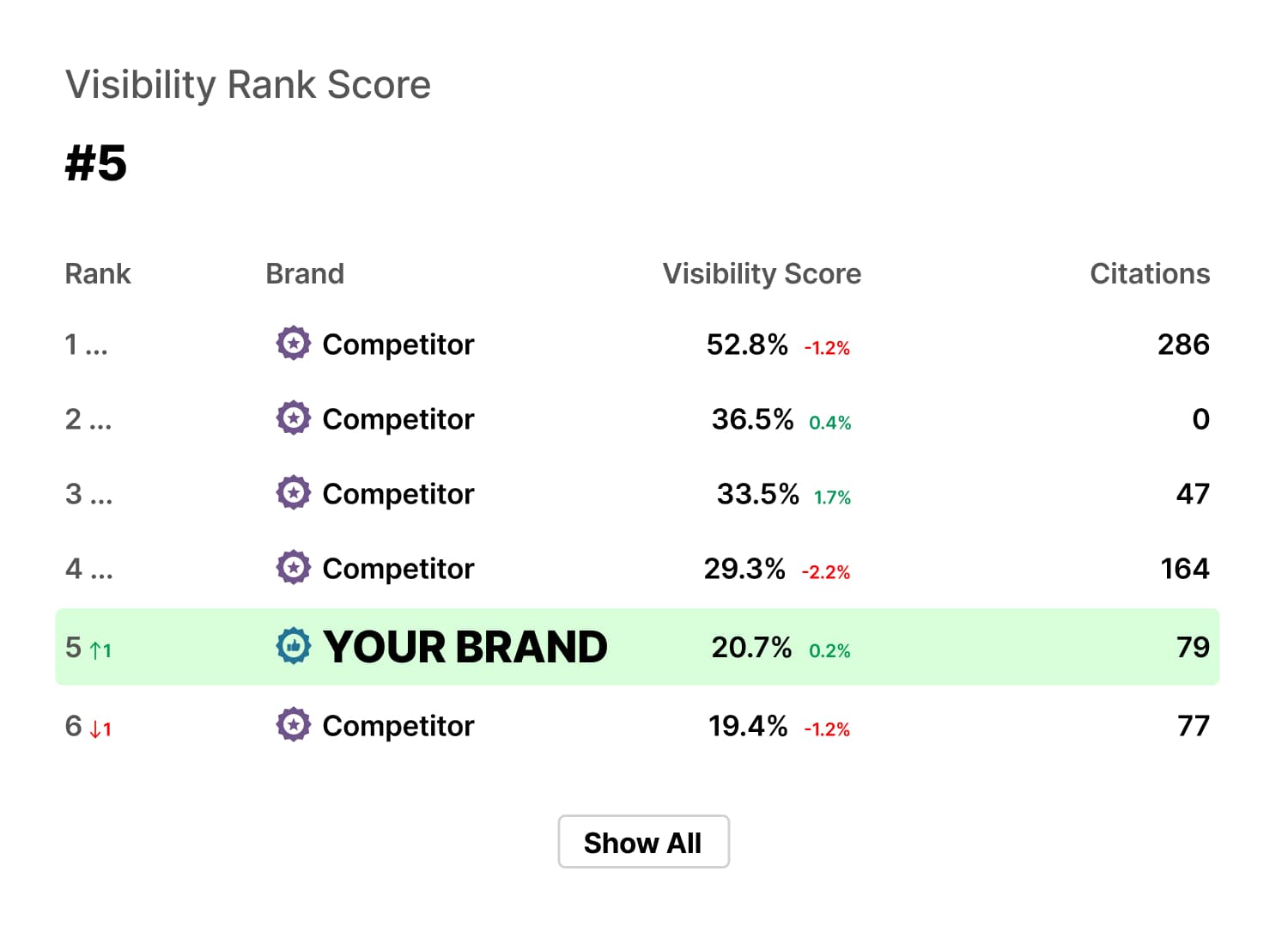
See which prompts mention your brand, which competitors show up instead, and how the answers differ by platform.
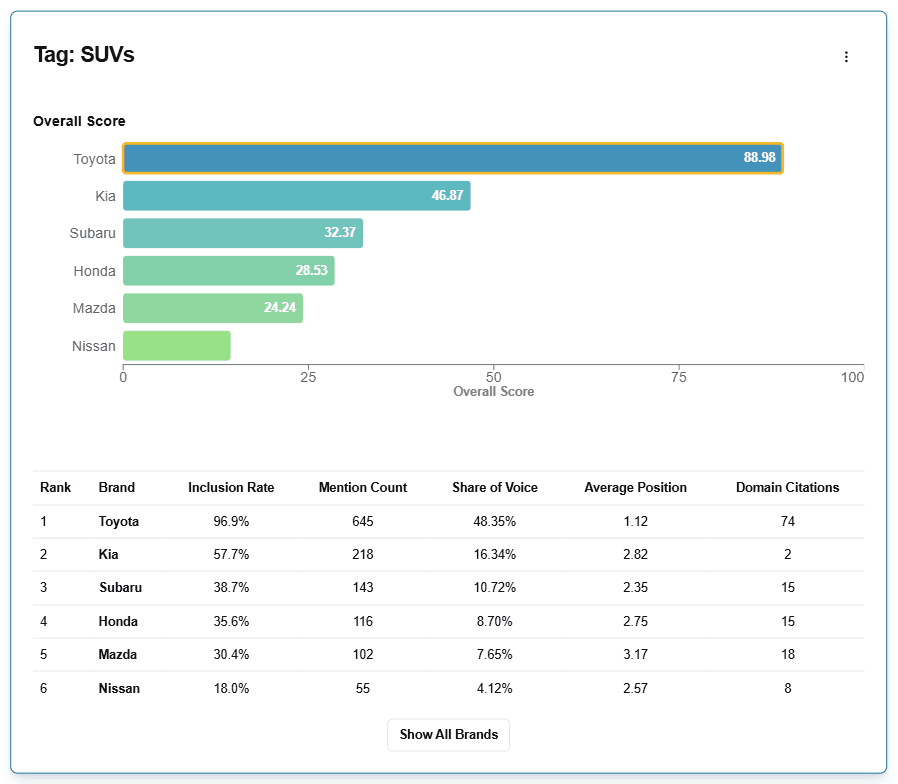
Find the gaps behind the result
Use the results to spot gaps in positioning, proof, comparisons, content coverage, and third-party citations.
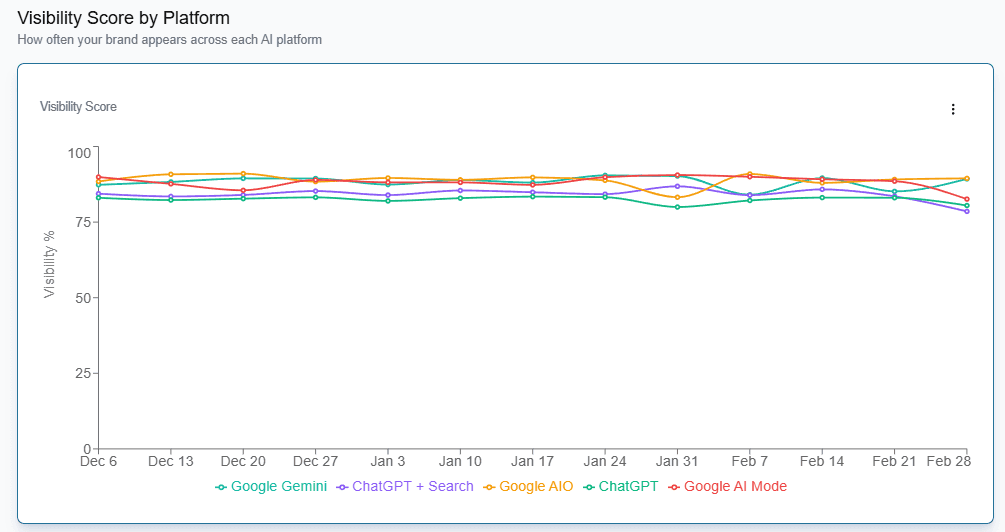
Decide what to change and monitor the impact
Turn those gaps into a focused action plan, then use scheduled runs to track whether your visibility improves over time.
AI cites competitors? Fix it.
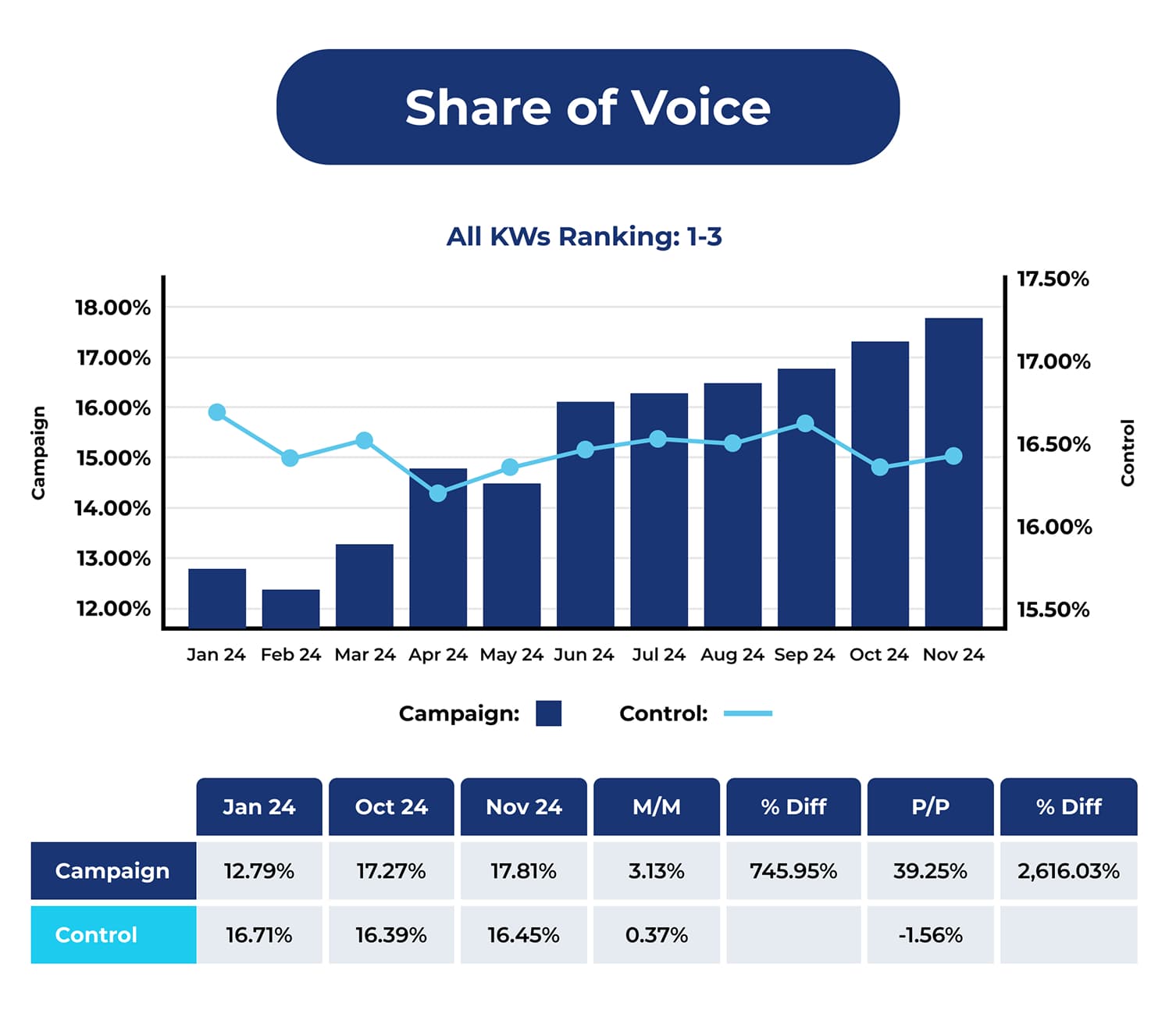
Work with our sister company, Citation Labs, to turn Xofu reporting into an actionable pilot designed to increase how often you show up in AI answers.
Citation Labs will help you:
- Rerun your prompt set and map where AI cites others instead of you
- Build a prioritized roadmap of on-page changes tied to specific prompts
- Ship an off-page plan focused on earning the sources AI pulls from
- Help your team ship changes, then rerun and report impact over time
- Package the pilot results so you can sell expansion internally
Frequently asked questions
You need your brand, a focused set of direct competitors, and the topics or use cases you want to track.